01
A workbench, not a toy
Solar Fire X is built for working astrologers: chart archives, client pages, dynamic reports, elections and research searches in one precise instrument.
Astrolabe · Next-generation edition
The professional astrologer's workbench — precision calculation, deep forecasting, astro-mapping and research tools for Windows and Mac, from the makers of Solar Fire.
Ordering opens Astrolabe's secure catalogue — external site, alabe.com
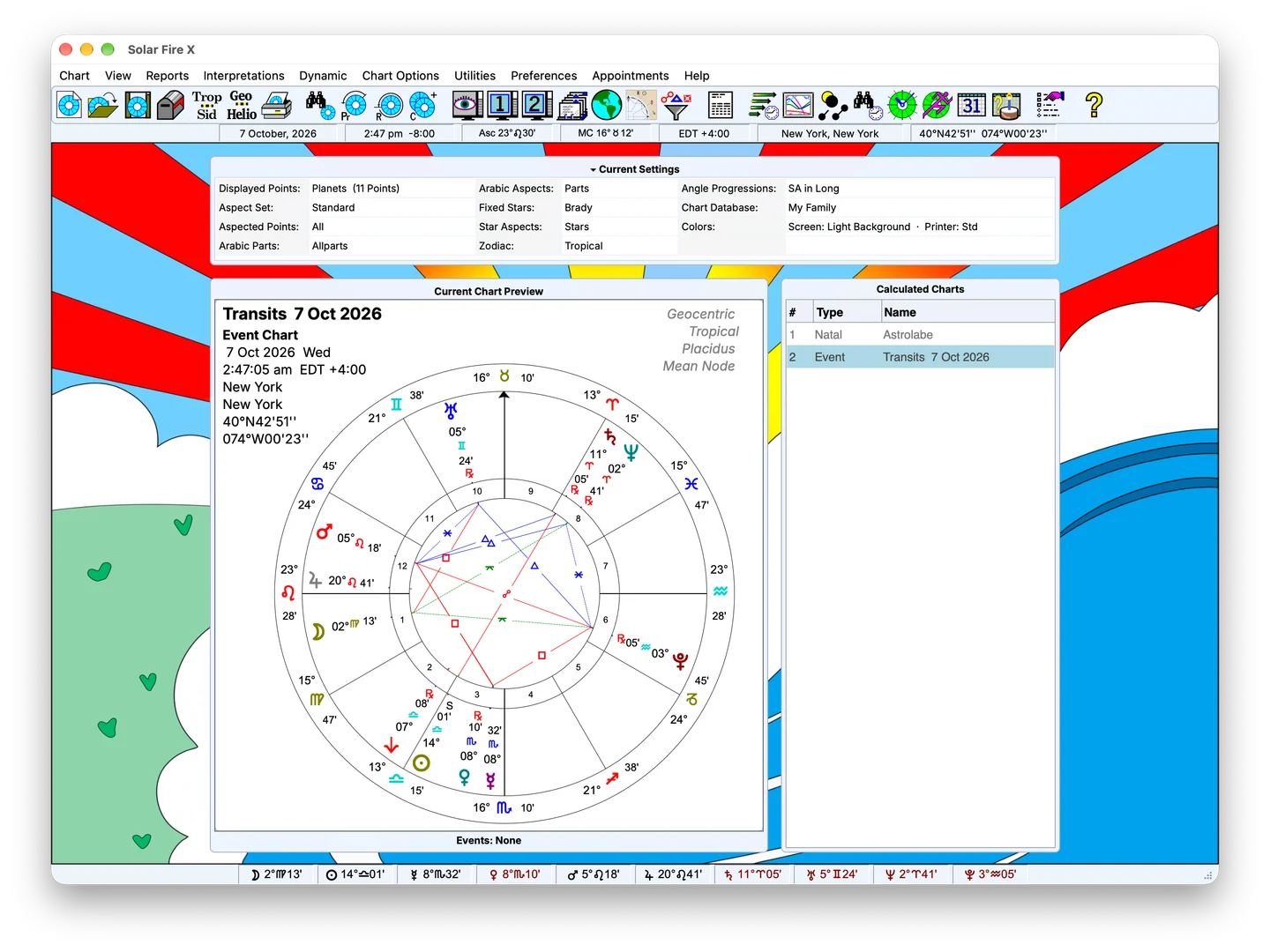
Explore the program screen, chart preview and current settings.
Menus, current settings, chart preview and calculated charts together.
Views from one supplied sample screen; more workflow screenshots to come.
Why Solar Fire X
01
Solar Fire X is built for working astrologers: chart archives, client pages, dynamic reports, elections and research searches in one precise instrument.
02
Swiss Ephemeris calculation and the ACS Atlas underpin every chart, return, direction and map line the program draws.
03
Modern, traditional, Vedic-style or symmetrical — wheel styles, point sets, aspect sets and page designs bend to the way you practise.
04
Solar Fire X descends from nine editions of Solar Fire, first released in the 1990s and developed continuously ever since.
Flagship capabilities
Each family below opens into a full feature page — with room for the screenshots and demos still to come.
Chart work begins with defined inputs: date, time, place and calculation settings. Solar Fire X calculates natal and event charts, then provides related-chart and comparison tools for following a question further.
Solar Maps brings a geographic view to chart work. Start with a calculated chart, examine its location-dependent relationships and compare places alongside relocated chart context.
Symmetry brings specialised dial and midpoint work into a dedicated Solar Fire X workspace. Use it to inspect relationships under the settings of your chosen method, alongside the program's inherited dial and midpoint tools.
Solar Fire X provides analytical reports, graphical tabulations and configurable layouts for examining and presenting chart work. Choose the material relevant to your question, then select the output suited to that view.
Interpretation material helps connect calculated chart factors with written descriptions. Solar Fire X provides chart-linked and general-text viewing paths, with editing tools for working on the material.
Transits, progressions, directions, returns and eclipses — computed over any period, then laid out as reports, calendars and graphic timelines you can actually read.
Chart search, electional search and eclipse search with Boolean criteria — Solar Fire X turns a chart collection and the ephemeris itself into queryable research material.
People
Explore a professional consultation workflow or a focused learning exercise. These are draft workflow examples, not customer testimonials or measured outcomes.
Browse all workflow studies →Methods
Start with the method you use. Explore the relevant calculations, settings and questions to check before purchasing.
For practice
Appointments, client email, receipts, printable interpretation pages and a batch print queue: Solar Fire X carries the small machinery of a real practice, not just the charts.
Sample screen — feature-specific screenshot pending
Heritage
Astrolabe's flagship has been the astrologer's standard since the first Windows editions of the 1990s. Version X brings the lineage to today's machines — Windows and macOS — without giving up the depth professionals rely on.
Read the storyNext step
Solar Fire X runs on Windows and Mac. See the options, or go straight to Astrolabe's secure catalogue.
Ordering opens Astrolabe's Cart32 catalogue — external site, alabe.com