Transits · Directions · Time Maps

Transits, progressions and forecasting

Explore timing with transits, progressions, directions and returns. Use dynamic reports, Time Maps, the Graphic Ephemeris, calendars and animated charts to compare events over time.

Forecasting

Features at a glance

Forecasting charts

  • Transits
  • Secondary, tertiary, true tertiary, minor and user-rate progressions
  • Solar arc, Ascendant arc, Vertex arc and custom directions
  • Annual profections
  • Primary directions
  • Solar, lunar and other planetary returns
  • Progressed solar returns
  • Age harmonics
  • Precession-corrected and converse options

Dynamic events

  • Transits to natal, transiting, progressed and directed positions
  • Progressions to natal and progressed positions
  • Directions to natal positions
  • Sign and house ingresses
  • Stationary points
  • Solar and lunar eclipses
  • Parallels of declination and latitude
  • Void-of-course Moon
  • Entering, exact and leaving events
  • Separate point sets, aspect selections and orbs

Views and graphs

  • Dynamic event reports and sorting
  • Time Maps: event-duration spans
  • Graphic Ephemeris: transits, progressions and directions
  • Radix positions and aspects on the graph
  • Financial CSV overlays on the Graphic Ephemeris
  • Custom ephemeris tables
  • Calendars
  • Animated charts, multiwheels and pages
  • Real-time chart clock

Reusable selections

  • Saved dynamic selections
  • Natal or relocated report locations
  • Automatic daylight-saving adjustments
  • Configurable report columns
  • Append results to an existing report
  • Event details and chart views from report hits

Overview

Forecasting

Solar Fire X treats forecasting as a first-class workflow: dynamic hit lists over any span, graphical Time Maps and ephemerides, animated charts, and traditional time-lord techniques alongside modern ones.

In practice

Preparing a year-ahead consultation, an astrologer runs a twelve-month transit-and-progression report, switches it to Time Map view to spot the dense seasons, prints the graphic ephemeris for the client folder, and bookmarks the two exact-hit weeks that deserve a closer look.

SCREENSHOT: DYNAMIC REPORT BUILDER8 / 5 · PNG
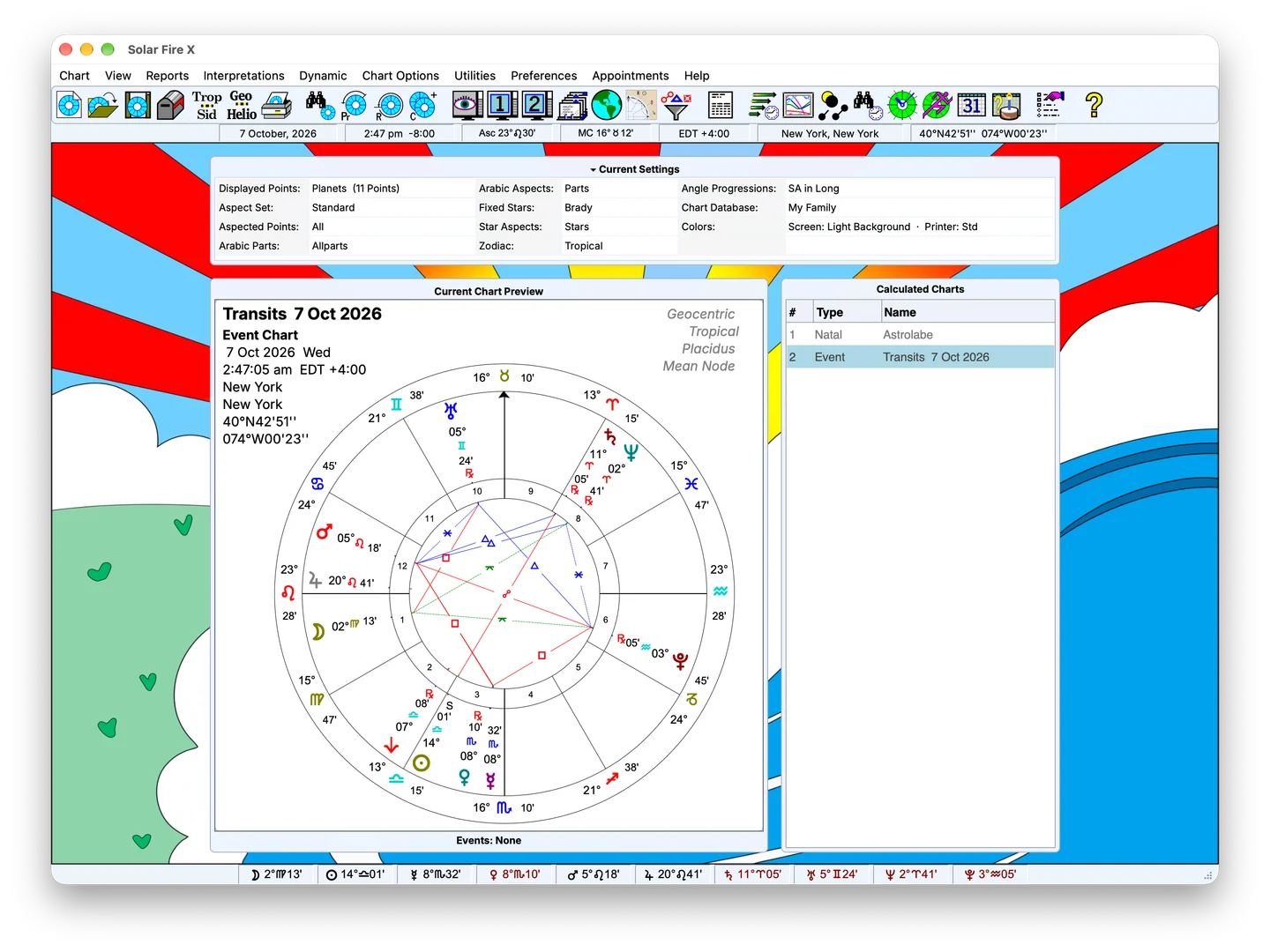
Sample Solar Fire X main screen with chart preview and calculated-chart list; feature-specific screenshot pending

Sample screen — feature-specific screenshot pending

Replace with the report selection dialog and a generated hit list. 1600×1000 PNG.

Capabilities

What's inside

01

Dynamic reports over any period

Generate a sorted hit-list of events between any two dates, then click any event to read its interpretation or view the exact chart.

  • Transits, secondary progressions and directions in one report
  • Primary directions with Placidus semi-arc, Regiomontanus and van Dam methods, multiple rate keys, classical or modern converse
  • Automated date options — a year from today, to the next birthday, and more
  • Interactive events: click through to charts and interpretation text
FIG. 02 · CLIP: TIME MAP SWEEP16 / 9 · PNG
Replace with a 6–10 s looping capture scrolling a Time Map. 1280×720 MP4.
02

Time Maps and graphic ephemerides

See a year — or a decade — of motion as a shape, not a table.

  • Time Map graphs every dynamic event in the report along one timeline
  • Graphic ephemeris with selectable harmonics, points and periods
  • Overlay external time-series data — prices, sunspots, your own CSV figures — on the ephemeris
  • Print-ready output for client packs and research notes
FIG. 03 · CHART OUTPUT: GRAPHIC EPHEMERIS16 / 11 · PNG
Replace with a printed graphic ephemeris page. 1600×1100 PNG.
03

Calendars and ephemerides

Working astrologers live by the calendar; Solar Fire X publishes one.

  • Monthly calendars of lunations, ingresses, stations and aspects
  • Export calendar events to your desktop calendar
  • Lunar gardening calendar for planting and routine timing
  • Ephemeris generator for custom listings over any period and interval
FIG. 04 · SCREENSHOT: TIME MAPS AND GRAPHIC EPHEMERIDES4 / 3 · PNG
Sample Solar Fire X main screen with chart preview and calculated-chart list; feature-specific screenshot pending

Sample screen — feature-specific screenshot pending

Feature-specific screenshot pending; sample main screen shown for layout review.
04

Returns, eclipses and animation

From the year's solar return to the eclipse path over a client's city.

  • Solar, lunar and planetary returns, precession-corrected if you wish
  • Eclipse search and lunar-phase charts
  • Real-time clock charts and chart animation, exportable as animated graphics
  • Zodiacal Releasing, dasa and firdar tables for time-lord work
FIG. 05 · SCREENSHOT: CALENDARS AND EPHEMERIDES4 / 3 · PNG
Sample Solar Fire X main screen with chart preview and calculated-chart list; feature-specific screenshot pending

Sample screen — feature-specific screenshot pending

Feature-specific screenshot pending; sample main screen shown for layout review.

Keep exploring

Related capabilities

Next step

Compare options on the Pricing page.

Solar Fire X is one complete instrument — every capability on this page ships in the same program.

Ordering opens Astrolabe's Cart32 catalogue — external site, alabe.com